9 Essential Digital Tools for Chinese Learners
Back when I was undergraduate student, I was still clueless to all the amazing products available to help complement my Chinese studies. I experienced this again, when I did an experiment with the first year learners of Chinese at my University. Many had questions for me and I realized, that I was that same guy. Now, with a few more years of discovering the best content, here are essential digital tools for Chinese learners. These are not multimedia content (like podcasts or videos), but tools to help with learning.
1) Anki
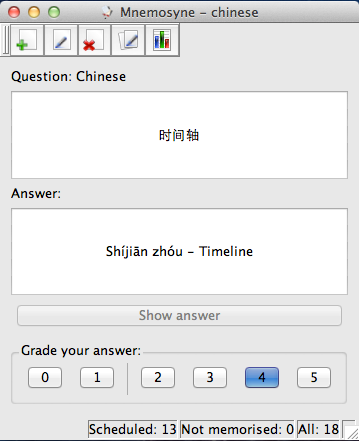
This is without a doubt the biggest time-saver out there. Anki is a free flashcard program, that helps you to efficiently organize the repetitions of words. It is also called a spaced repetition system.
Basically, after each flashcard you respond by saying how well your remembered the word. If you remember it well, the program schedules the review of the flashcard further away (say three days). However, if you didn’t remember it too well, then it spaces the review closer (say 1 day).
These intervals become greater the better you remember the words, so there’s no need to learn words you’ve already learned!
2) Skritter
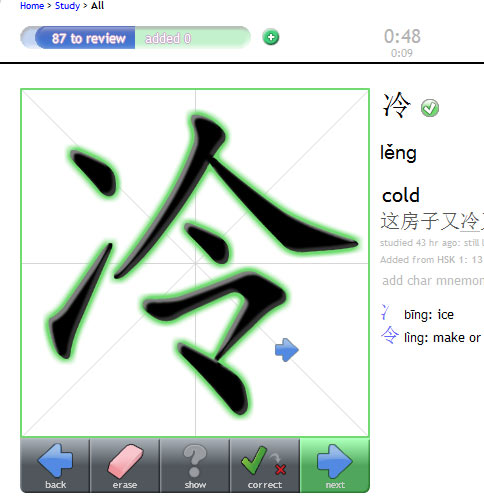
Skritter is a website that also takes spaced repetition systems into account, but rather helps you learn how to write Chinese characters by using a clever character recognition system they have built. You can use your mouse, trackpad & graphic tablet to write these characters, but the best way is to their iPhone & iPad apps that have launched recently.
I’ve been lax in my Skrittering as I need to save money for the end of the year (I will reveal why later this year), but also because I seriously yearn for an iOS device. It’s like a match made in heaven & why settle for less? :)
3) MDBG
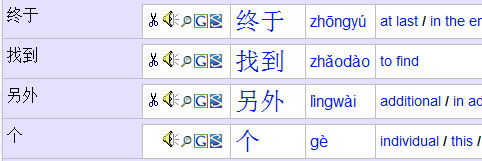
MDBG is one of the first online dictionaries that I used. They segment any sentence or paragraph into words so it’s easier to understood. When I started learning Chinese, this was a god-send. The dictionary that they use, CC-CEDICT, is one that they maintain and is open-source, so it is probably the most up-to-date dictionary out there.
4) Jukuu & iChaCha
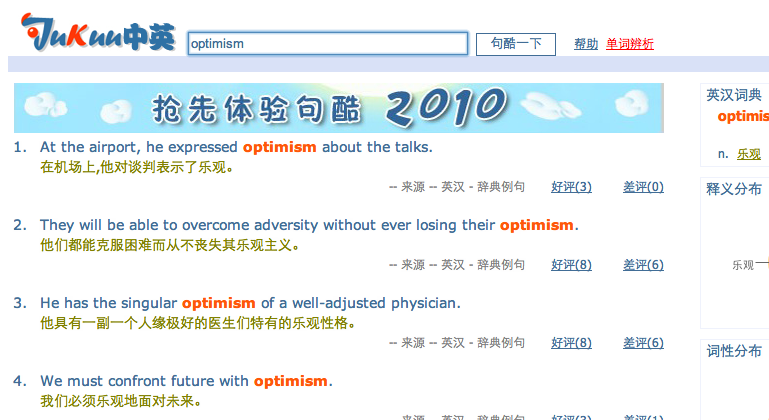
Now, however, being at the intermediate level, I have shifted my dictionary lookups to sites like Jukuu & iChaCha. The reason why I post both sites, is because they serve the same function. They act as context “helpers” if I can call it that. Whenever I find a new word, or I’m not sure exactly how to use a word or where it is placed in a sentence, I search using Jukuu & iChaCha.
One of example this to explain. I got asked what the translation for optimism is. Now the true direct dictionary translation would be 乐观主义, where the -主义 is a suffix in Mandarin denoting “-ism”. 乐观 on its own means “optimistic”. I’ve always been weary about suffixes in Chinese, so I went to Jukuu to just check if they use optimism with the -主义 when speaking about someone’s optimism.
It turns that my suspicion was indeed correct. 乐观, although directly translated as “optimistic” can be used to say 他的乐观 to refer to his optimism. In English it would sound weird, “His optimistic”, but this just shows that word boundaries aren’t always what they seem.
Jukuu & iChaCha are increasingly my favourite tools in my Chinese learning escapade.
5) Zhongwen Pop-up Dictionary
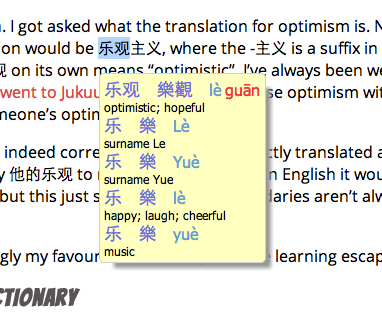
This little tool has made many walls of Chinese text bearable. It is an addon/extension for Chrome & Firefox. Whenever you hover over any Chinese text it instantly pops up with a definition and pronunciation. It works surprisingly well.
I am however considering to slow down my dependency on this tool, as I can very easily become lazy using this. Be careful when using a pop-up dictionary. Use it only when you really need to. With great power comes great responsibility.
You can also try Perapera, which is basically the same, but with other stylings. Both work perfectly well.
6) 3000Hanzi
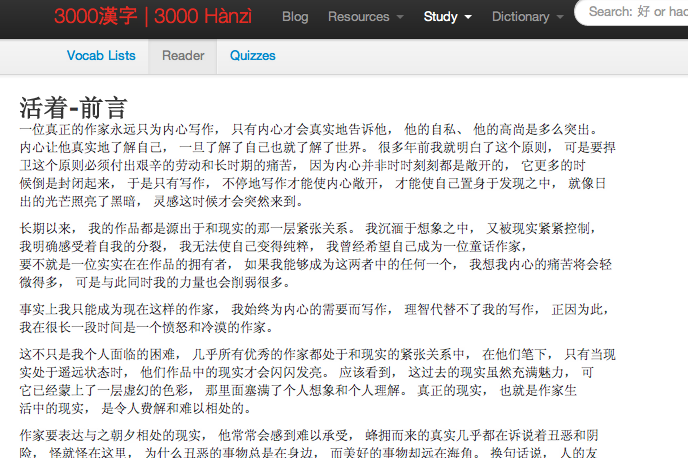
3000Hanzi is a Chinese reader. It is meant to aid you in reading Chinese by providing dictionaries, word lists & text analysis. This tool is extremely beneficial if you want to improve your Chinese reading. I do not use 3000Hanzi as much as I want to, but I definitely recognize the importance of such a tool.
There is a free version with similar idea out there called Learning with Texts, but it’s a lot harder & confusing to set up. 3000Hanzi also focuses on Chinese specifically, which adds towards the tool.
7) Hanping & Pleco

Another group of tools. This time we are focusing on mobile dictionaries. I would recommend Hanping for Android and Pleco for iOS. These are also one of those immensely useful tools. When I was travelling in China last year, Hanping became my Bible. Both, Pleco & Hanping have OCR addons available that allows you to point your camera at characters to get them recognized. Useful for signs & menus!
8) FluentFlix
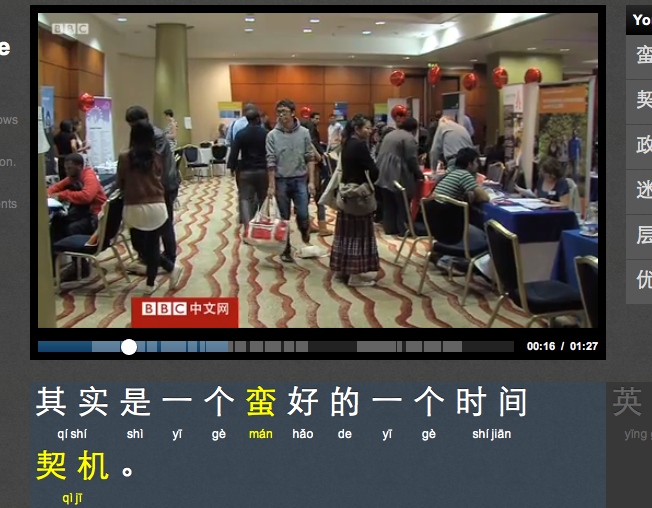
Recently launched FluentFlix is an extremely handy tool to help with watching online videos. They transcribe authentic videos and developed their own video player that works seamlessly. It is probably the best way to watch Chinese content. Read more on my first impressions using it. I can’t think of a life before FluentFlix really!
9) HanziCraft
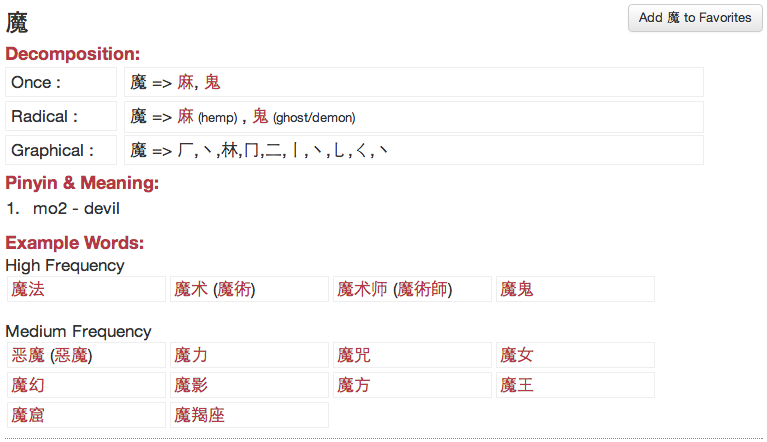
Then last but not least, my own site, HanziCraft, which is not only a Chinese character decomposition application, but aims to provide the best information in a Chinese character dictionary. It is based on my own open-source Node.js module, HanziJS.
I have found HanziCraft to be useful especially when analyzing characters & their components. You can gain very useful insight. There are still a few kinks I need to iron out, but I’m constantly improving the website. Got a few more features in the pipeline.
What do you guys think of the list? What tools do you use? Anything obvious I missed?
I’ll be doing another list in the future that will list the best content websites for learners.